Camera Text Alerts
Mosaic Center Camera Alerts is a text message (SMS) program run by The Mosaic Project of South Texas for The Mosaic Center, 1010 S Staples St, Corpus Christi, Texas. It texts the Center’s own administrators and board members when the building’s security cameras detect a possible person. It is not a public subscription list, and we do not use it for marketing.
Who receives these texts
Only authorized administrators and board members of The Mosaic Center, and only after they sign themselves up. Each person enters their own mobile number. We never add a number that someone did not enter and confirm themselves.
How to sign up
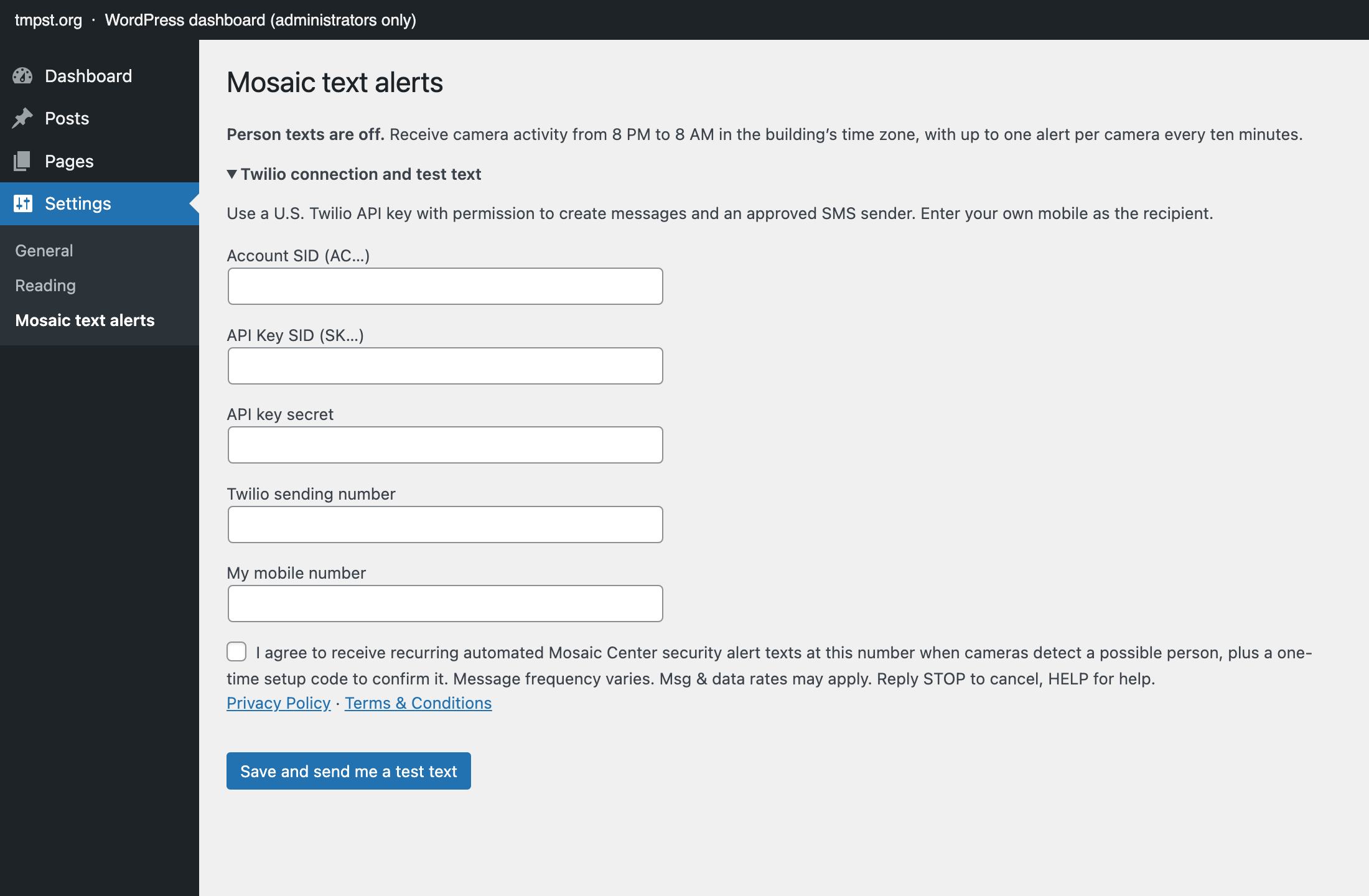
- Sign in to the Center’s password-protected WordPress dashboard at tmpst.org and open Settings › Mosaic text alerts.
- Enter your own mobile number. On the same form, check the consent box, which is never checked in advance. It reads:
“I agree to receive recurring automated Mosaic Center security alert texts at this number when cameras detect a possible person, plus a one-time setup code to confirm it. Message frequency varies. Msg & data rates may apply. Reply STOP to cancel, HELP for help.”
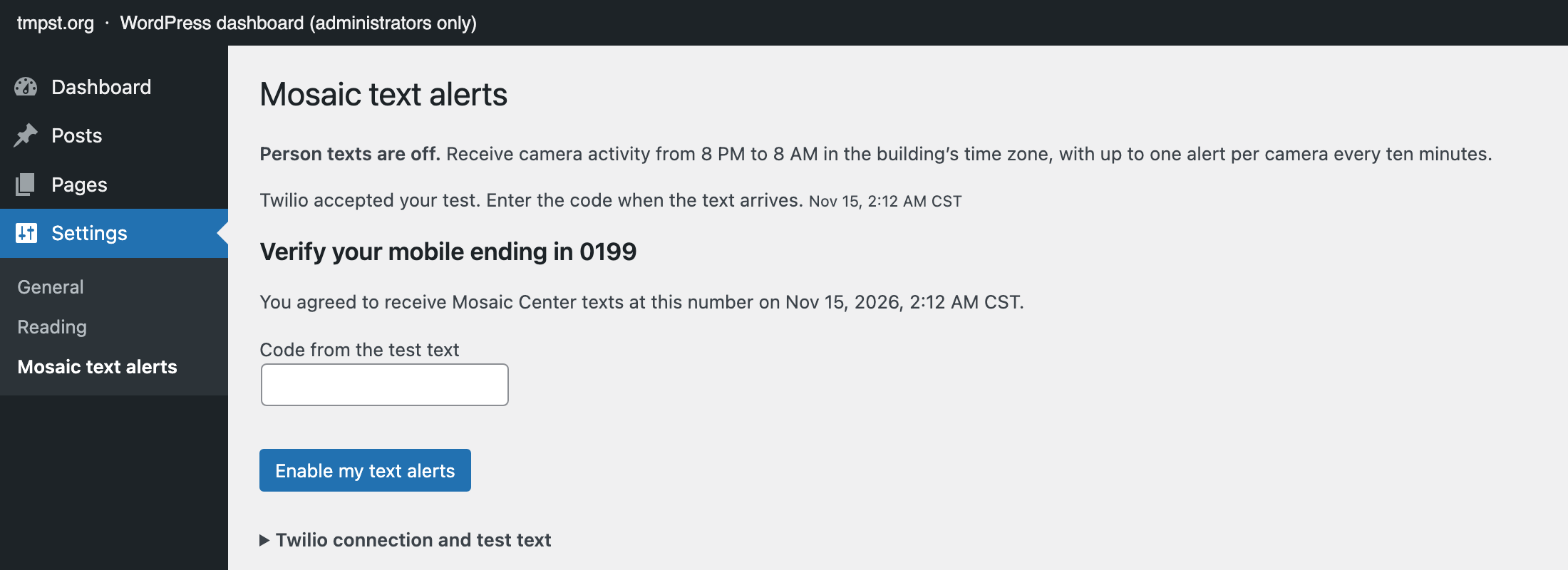
Links to our Privacy Policy and Terms & Conditions sit right under it. Then select Save and send me a test text. Nothing is sent unless the box is checked. - We text a one-time setup code to that number:
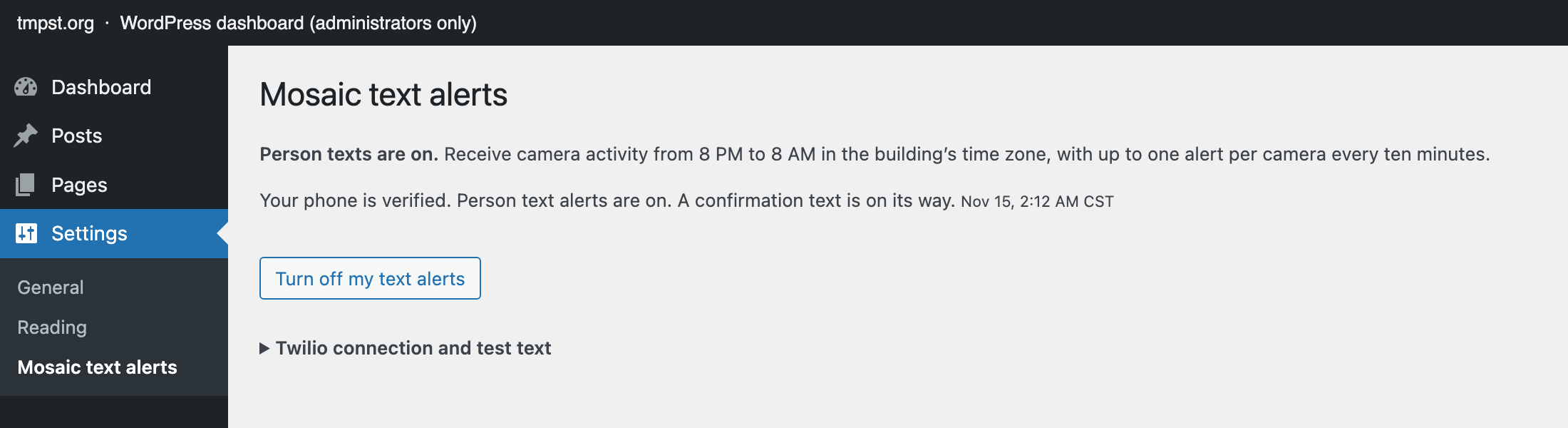
“Mosaic Center camera alerts: Your setup code is 123456. Enter it in Mosaic to turn on alerts. Msg & data rates may apply. Reply HELP for help, STOP to cancel.” - Enter the code and select Enable my text alerts. The page confirms “Your phone is verified. Person text alerts are on.” and we send a confirmation text:
“Mosaic Center camera alerts: You’re signed up for person-detection security texts. Msg freq varies. Msg&data rates may apply. HELP for help, STOP to cancel.”
Alerts start only after this step.
Screenshots of each step
Board members
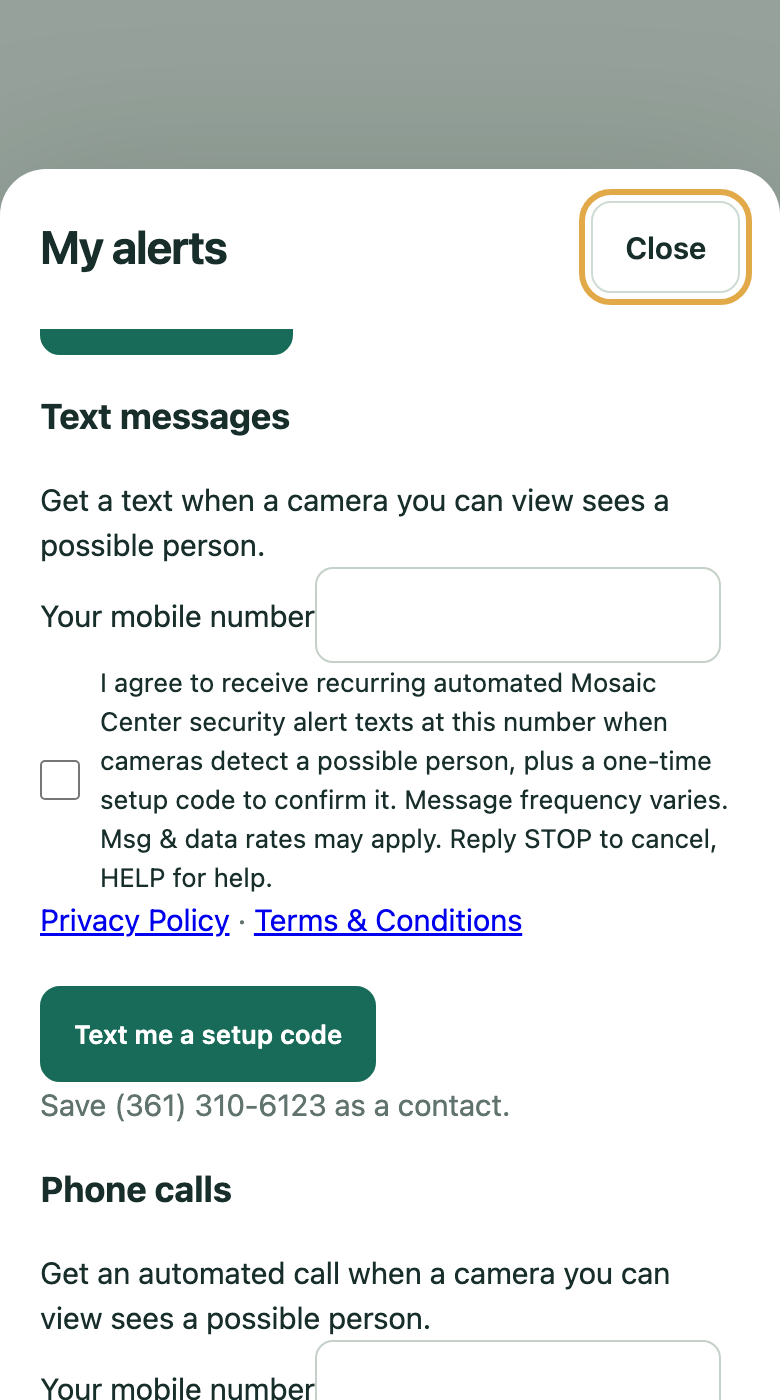
Board members of The Mosaic Project of South Texas sign up the same way from their private, sign-in-only board camera access. They open Alerts, enter their own mobile number under Text messages, and check the same consent box on the same form (never checked in advance), with links to our Privacy Policy and Terms & Conditions right below it. They then receive the same one-time setup code text, enter the code to turn texts on, and receive the same confirmation text. Their alerts link to the board camera view (https://tmpst.org/?mosaic-camera-view=1) instead of the administrator app.
What the alerts look like
“Mosaic Center: Possible person at Front door (9:41 PM CST). https://tmpst.org/?mosaic-camera-app=1&camera_view=activity”
The message names the camera and the time. The link opens the Center’s private camera app, which requires an administrator sign-in.
How often
Message frequency varies with activity at the building. By default, alerts are sent only from 8 PM to 8 AM Central time, and at most one alert per camera every 10 minutes.
Cost
Message and data rates may apply.
Help and opting out
- Reply STOP to any message to cancel all texts. You will get one confirmation and no further messages.
- Reply HELP for help, or contact us at help@tmpst.org or 361-816-7708.
- You can also select Turn off my text alerts on the same settings page at any time.
Carriers are not liable for delayed or undelivered messages.
Privacy
We do not sell or share your SMS opt-in data or personal information with third parties for marketing purposes. Read our Privacy Policy and Terms & Conditions.
Get opening news
Be the first to hear when the doors open, what is on at the Center, and how to help build it.